How voids work
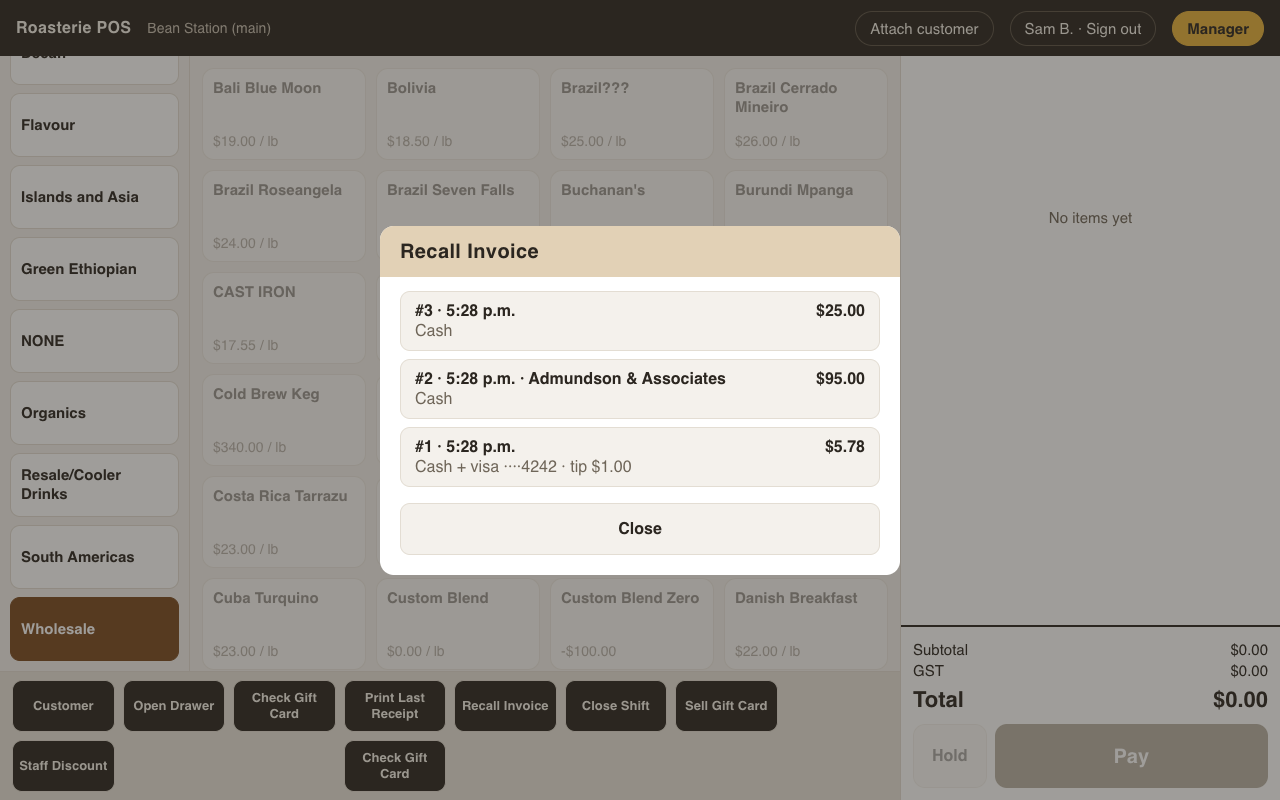
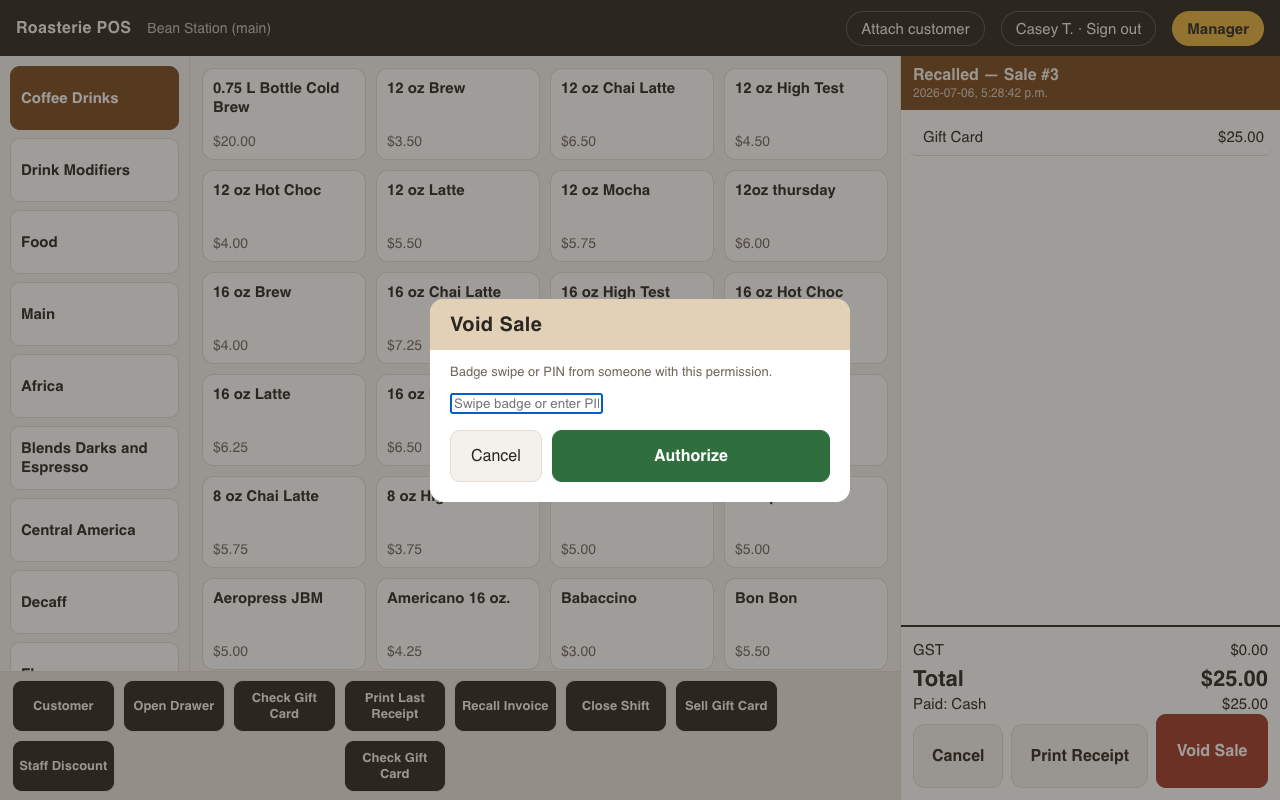
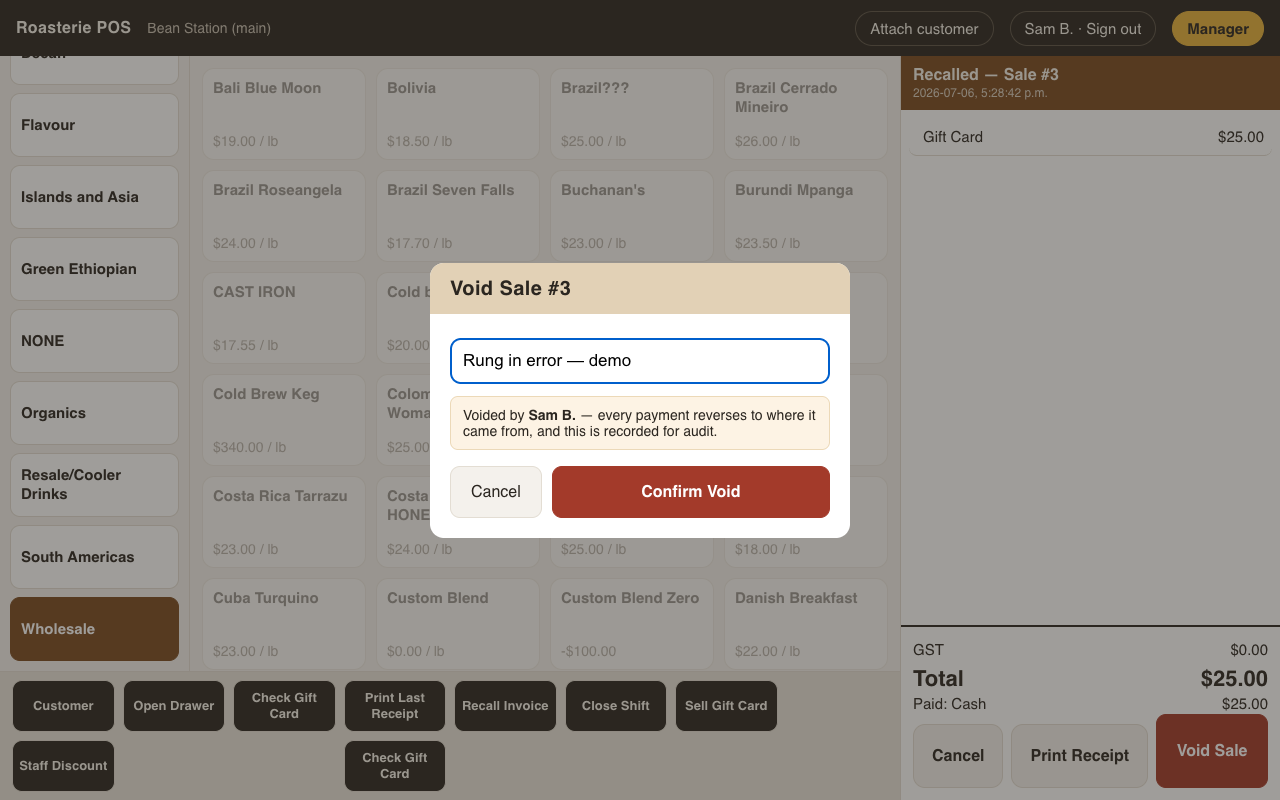
There are no returns — nothing we sell comes back. Mistakes are fixed by voiding the sale: Recall Invoice (bottom bar) → pick the sale → Void Sale → type the reason (required — your name is recorded with it). Voiding is permission-gated: without the permission, the till asks for an authorizing swipe, and the void records both names.
A void reverses every payment to where it came from:
- Card → refunded against the original charge through the payment processor.
- Interac debit → can't be refunded online; the till asks you to confirm the customer was refunded in person (original card at the reader) or in cash before it lets you void.
- Gift card → that card's balance is restored.
- Cash / check → reversing entries keep the drawer math honest.
- On account → the charge comes off the customer's balance.
- Loyalty points earned on the sale are reversed too — the result screen lists it along with every payment it undid.
Nothing is deleted: the sale stays on record marked VOID, and the void itself is an audit entry — the loss-prevention report reads straight from these.
Customer accounts
Moved to customer-accounts.md — open-item A/R, the client-account workspace,
printable invoices, and FIFO payment application.