How backups work
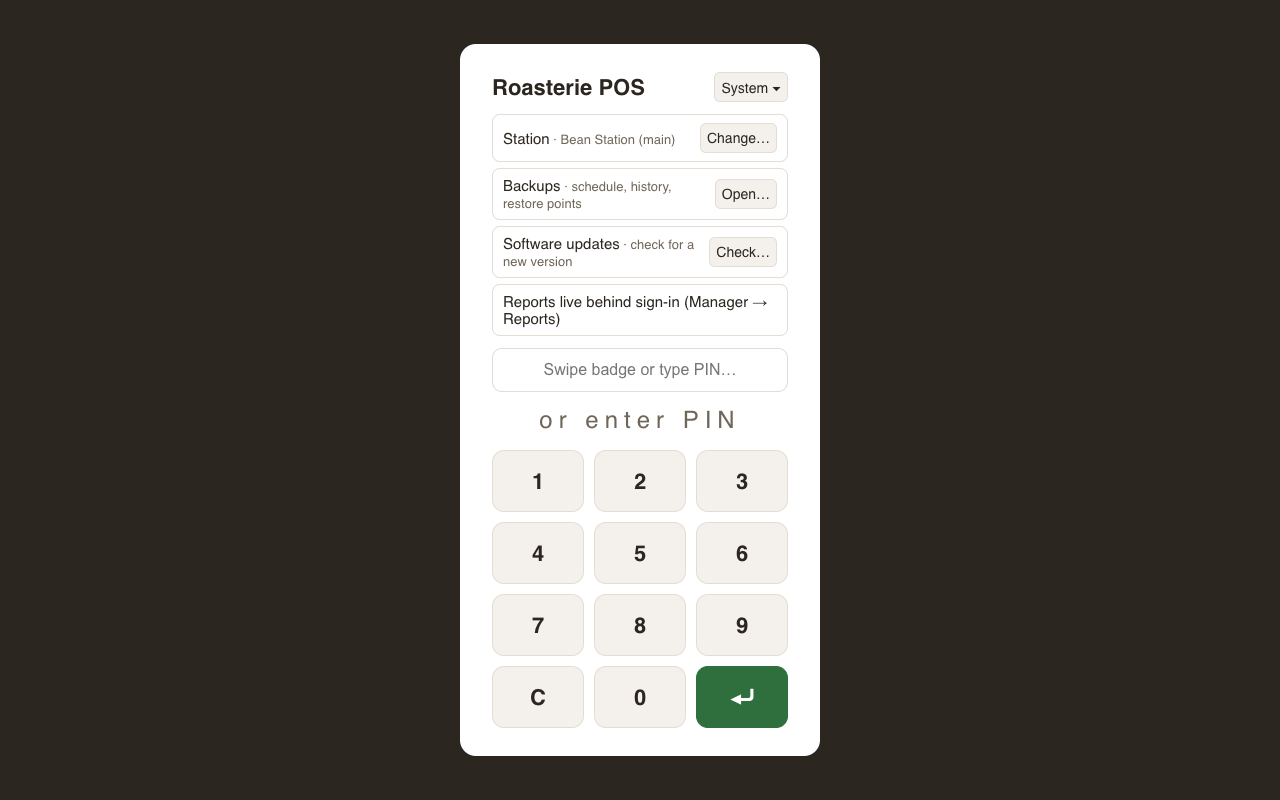
Backups live before sign-in: the sign-in screen's System menu → Backups. A fresh install needs backups configured before anyone rings a sale, so the door is on the outside.
What runs automatically
A daily backup runs at the time you set (and catches up on boot if the machine was off at the scheduled time). Each backup is a compressed snapshot of the whole database — sales, customers, ledgers, settings, everything.
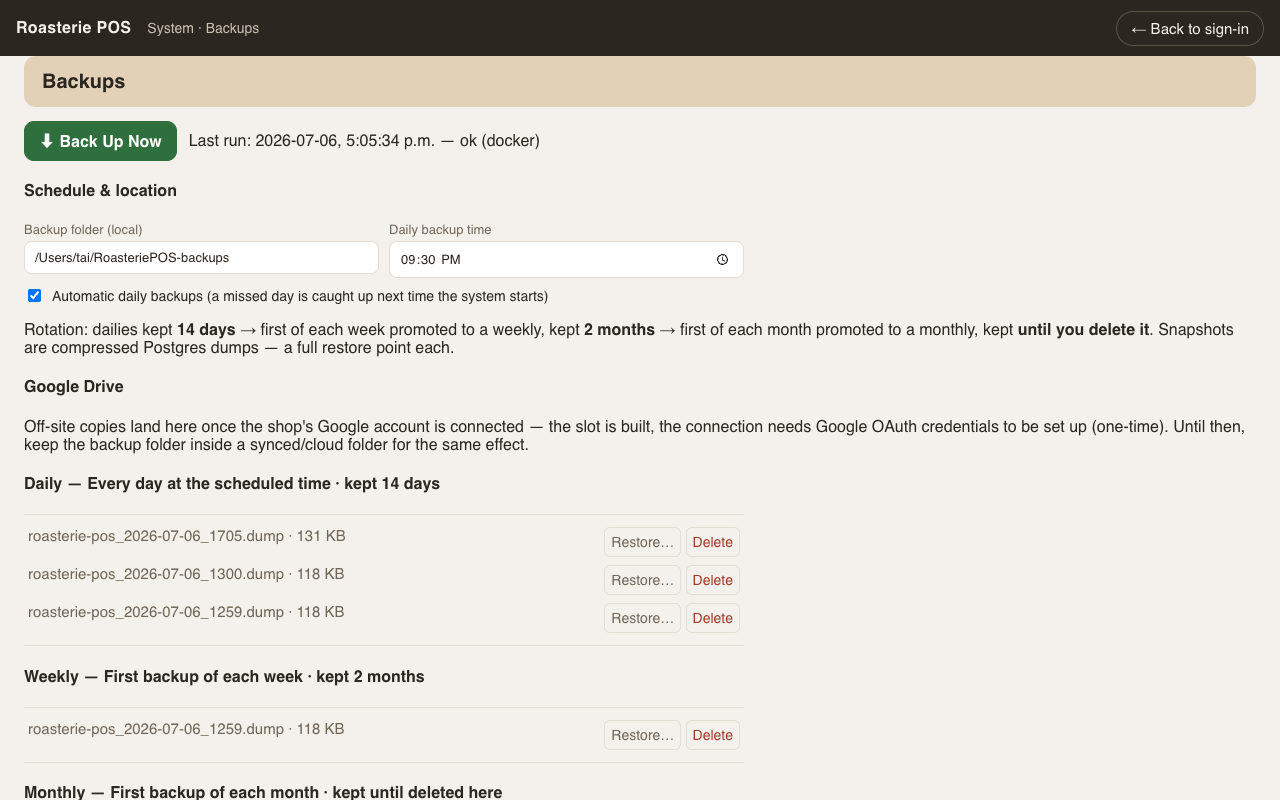
Retention is grandfather–father–son: dailies are kept two weeks, one per week is promoted and kept about two months, one per month is kept until you delete it. Old ones age out on their own; you never have to clean up.
The screen
- ⬇ Back Up Now — take a snapshot on demand (before an import, an update, an experiment). The last run and its result show right under the button.
- Schedule & location — the backup folder on this machine and the daily time.
- The list — every backup by tier, with delete on each row.
- Restore — deliberately not a button. It shows you the exact restore command to run on the server machine: restoring overwrites the live database, so it should never be one accidental tap.
Coming
An off-site copy to Google Drive has its slot on the screen (needs a one-time Google sign-in). Software updates in the same System menu is a placeholder for the update channel.
One honest caution: a backup on the same disk as the database survives mistakes, not a dead disk — until the Drive upload lands, copy the backup folder somewhere else now and then.