How gift cards work
Gift cards are our own cards on our own ledger — no processor, no fees, no third party holding the money. A card's balance is always the sum of its transactions (loads minus redemptions), never a number anyone types.
Selling (and reloading)
Sell Gift Card (bottom bar, or Manager → Cashier → Gift Cards) — swipe or type the card first, then the amount:
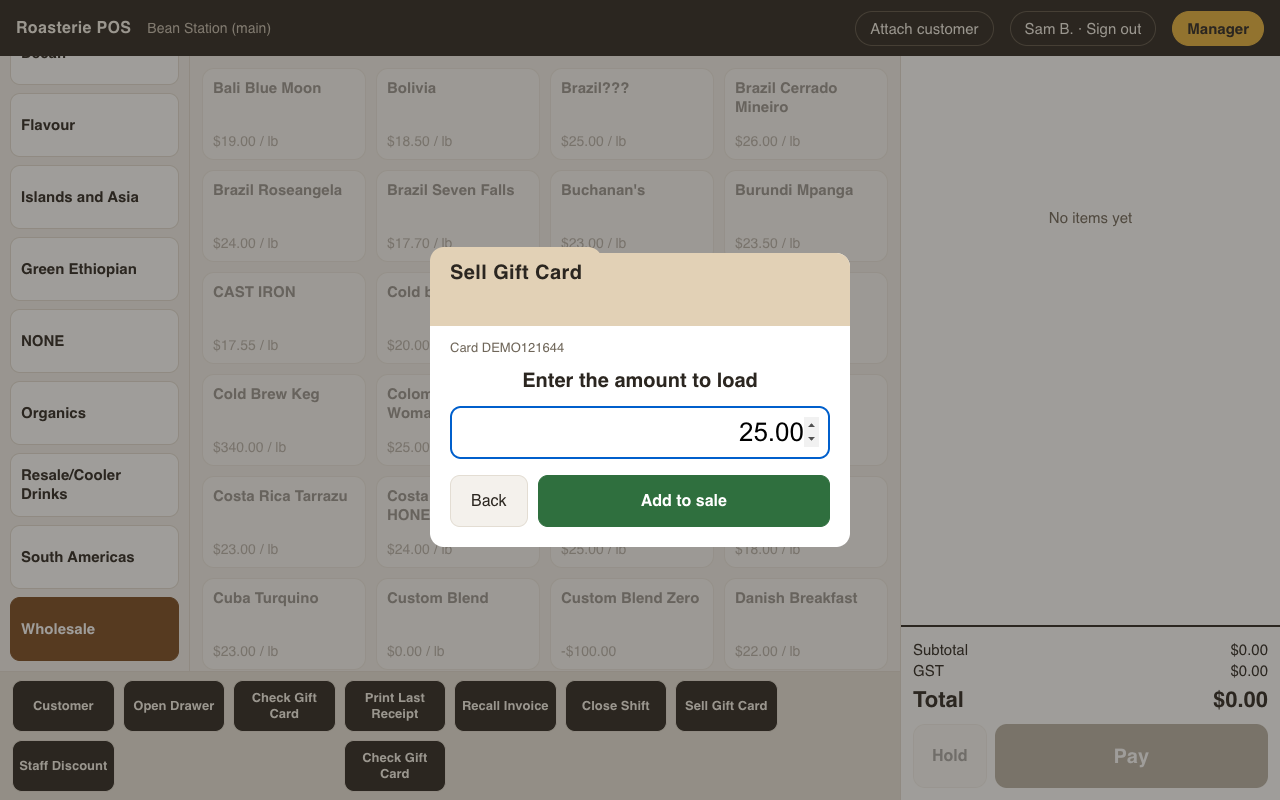
The load lands on the ticket as a normal line and is paid like anything else — cash, card, any mix. Selling to a card that already exists adds to its balance (that's a reload; same flow, nothing special to learn). Selling is permission-gated (Sell / reload gift cards).
Checking a balance
Check Gift Card (bottom bar) — swipe the card, see the balance big enough for the customer to read across the counter:
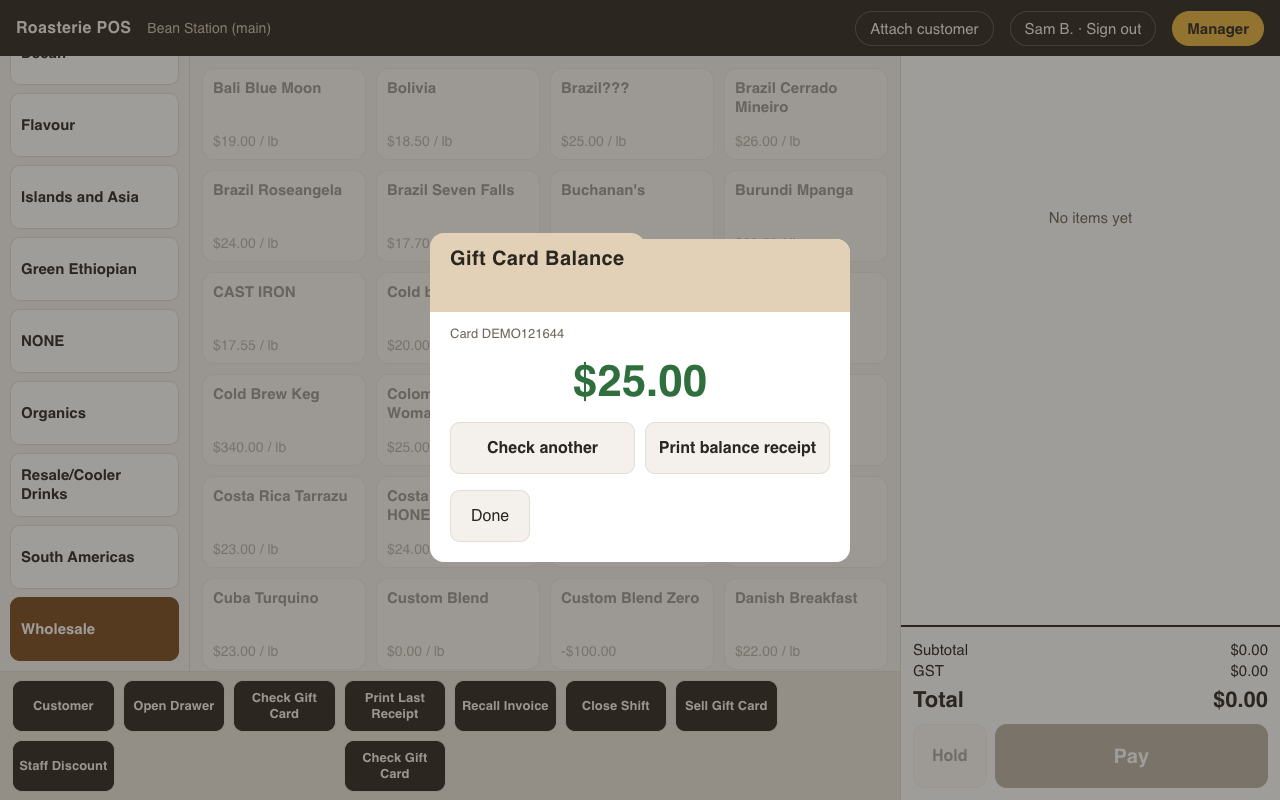
A printed balance receipt queues until the device bridge lands.
Paying with one
At tender, pick Gift Card and swipe. The card's available balance applies to the
sale and whatever's left stays on the card; if the balance doesn't cover the sale,
the rest is just another tender row (see tender.md). Voiding a sale paid by gift
card restores the card's balance — the ledger reverses, same as every other tender.
Deactivating
Manager → Cashier → Gift Cards → look the card up → Deactivate. Gated by its own permission (Deactivate gift cards), separate from selling.
The money side
Outstanding balances are a liability — what you owe the world in coffee. The Gift card liability report (Setup → Reports) totals it at any moment, straight from the card ledgers.