How inventory maintenance works
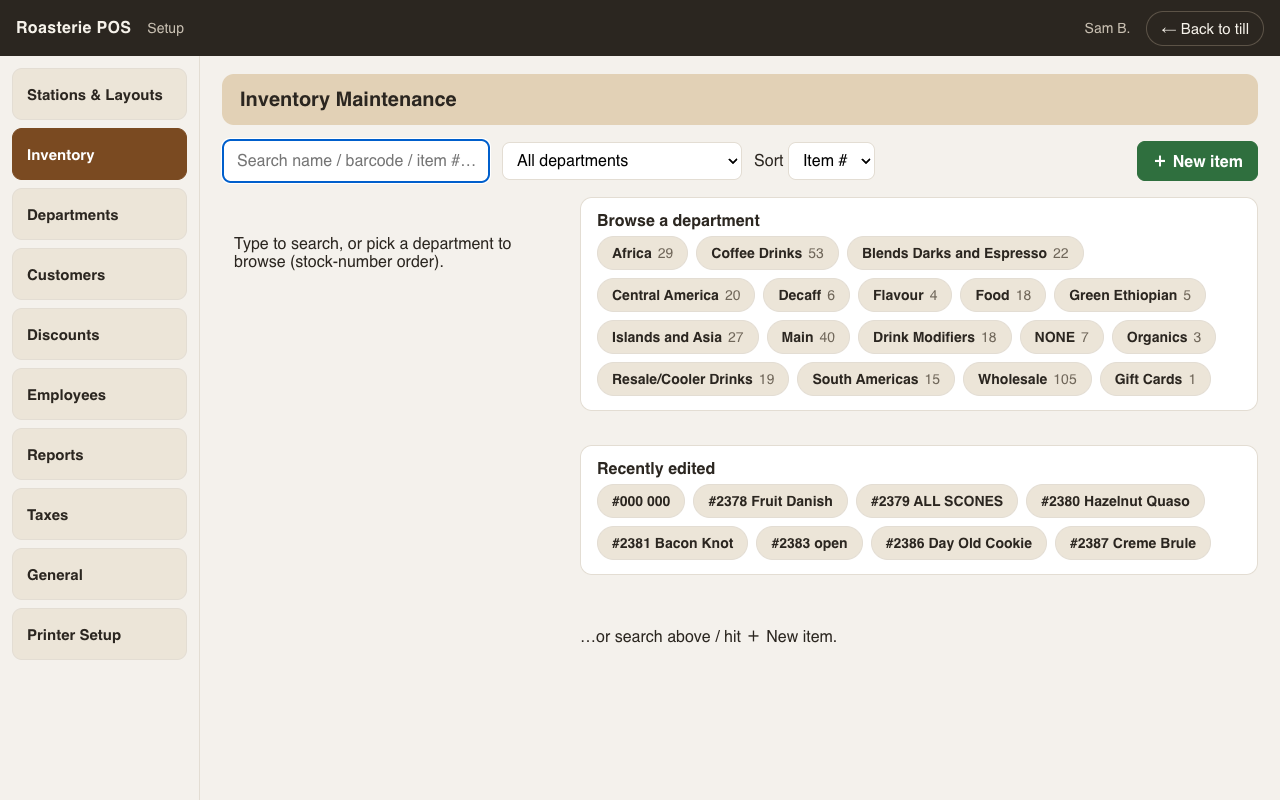
Setup → Inventory. The screen opens empty on purpose — search, or start from the panels: low stock (items with a reorder level set), departments with counts, recently edited. Sort by Item # (the intentional numbering), A–Z, or Z–A.
Item numbers
Item numbers are department-sequential by convention (Africa beans in the 600s, drinks in the 2300s…): a new item defaults to the next free number in its department, skipping numbers taken anywhere else. The number is editable at creation; the database's own ids are permanent and never shown.
New items
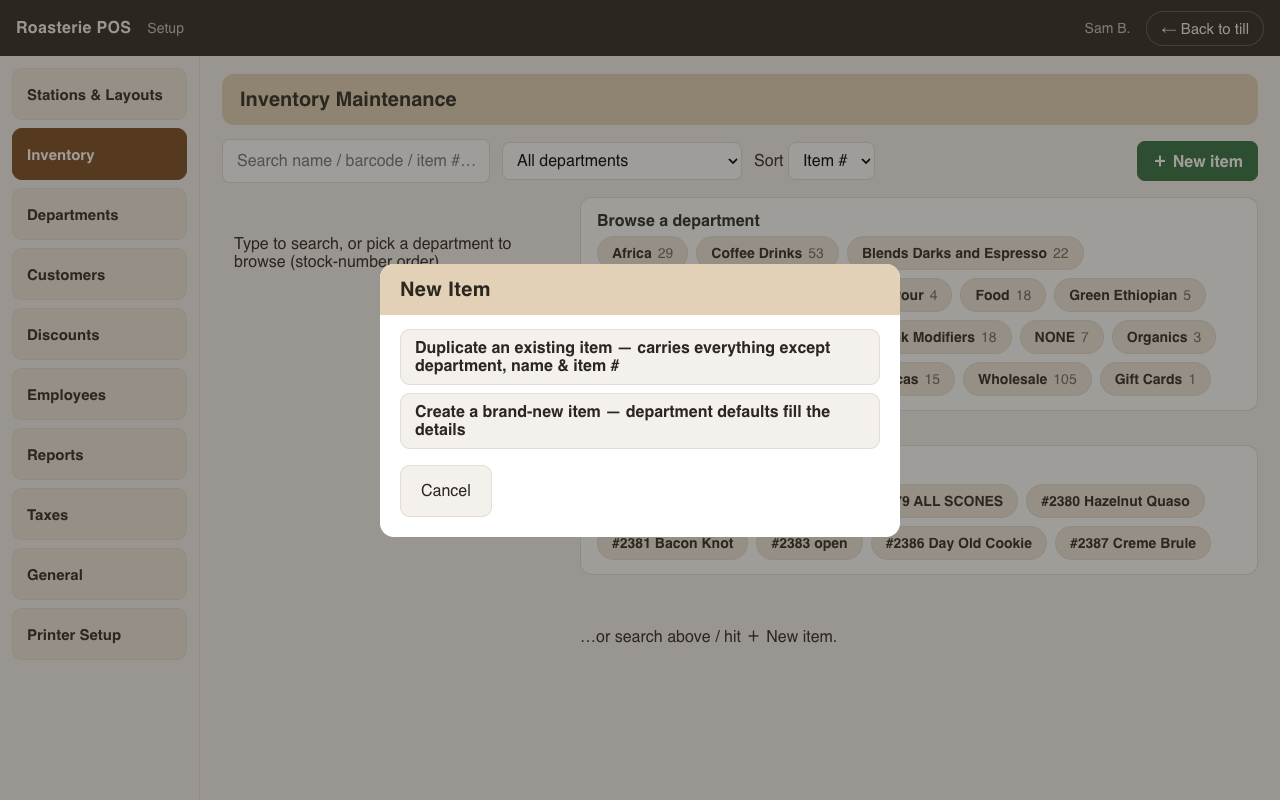
+ New item starts with the real question first: duplicate an existing item (its price, cost, tax, flags — everything except department, name, number) or start blank. Then one essentials screen — department, name, how it's priced (each / by weight / keyed), price, cost — and a summary with the suggested item number and an "add to the sale screens now" checkbox, so a new drink can be on the till in one pass. Every other attribute can be edited afterwards.
Editing
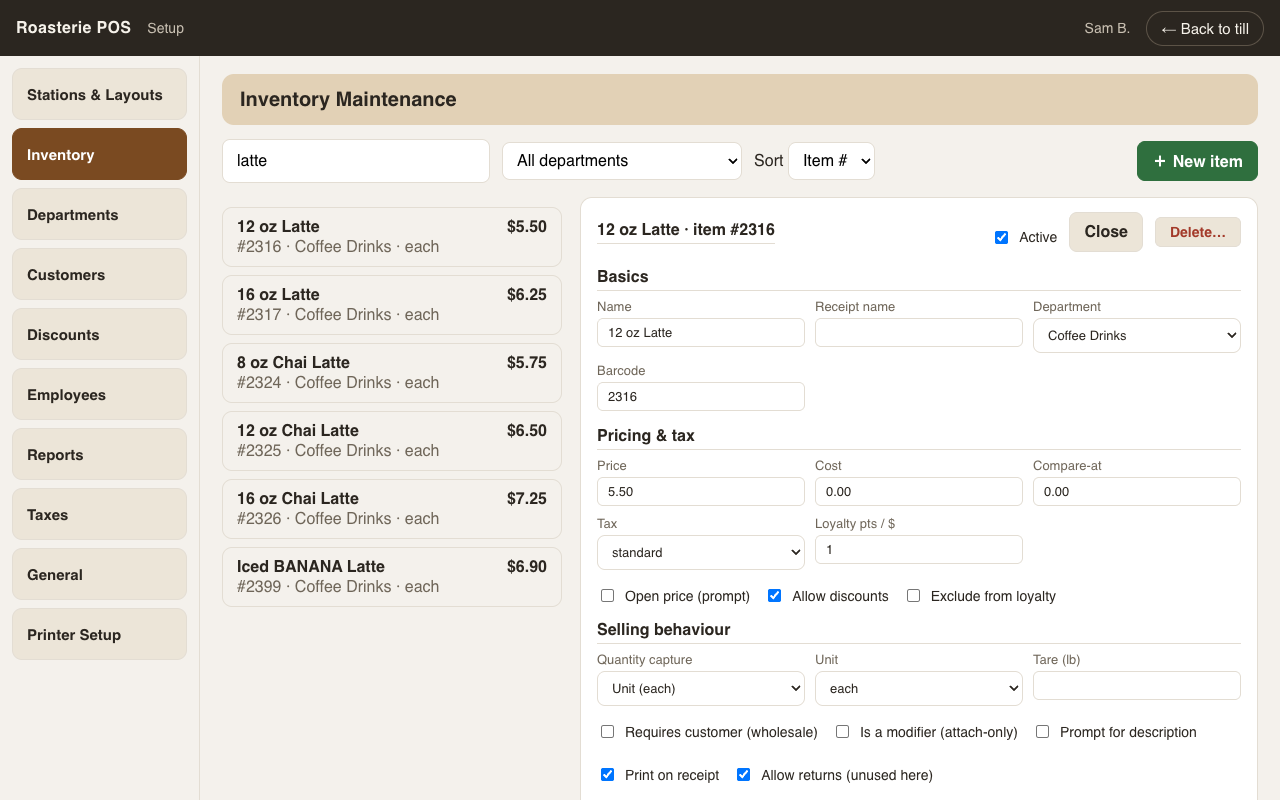
The full attribute set lives in one editor: pricing, cost, tax class, receipt name, loyalty flags, stock tracking (on hand, reorder level/qty), vendor, barcode, location, notes.
 Same discipline as customers: a big note + Save/Cancel appear only when
something changed, navigation warns on unsaved changes.
Same discipline as customers: a big note + Save/Cancel appear only when
something changed, navigation warns on unsaved changes.
Stock adjustments (receive / adjust) post movement rows with your name attached — on-hand is always the sum of movements, never a typed number.
Delete… is permission-gated (swipe fallback): an item that has never been sold is removed outright; anything with history is deactivated so past sales stay true.