How customer maintenance works
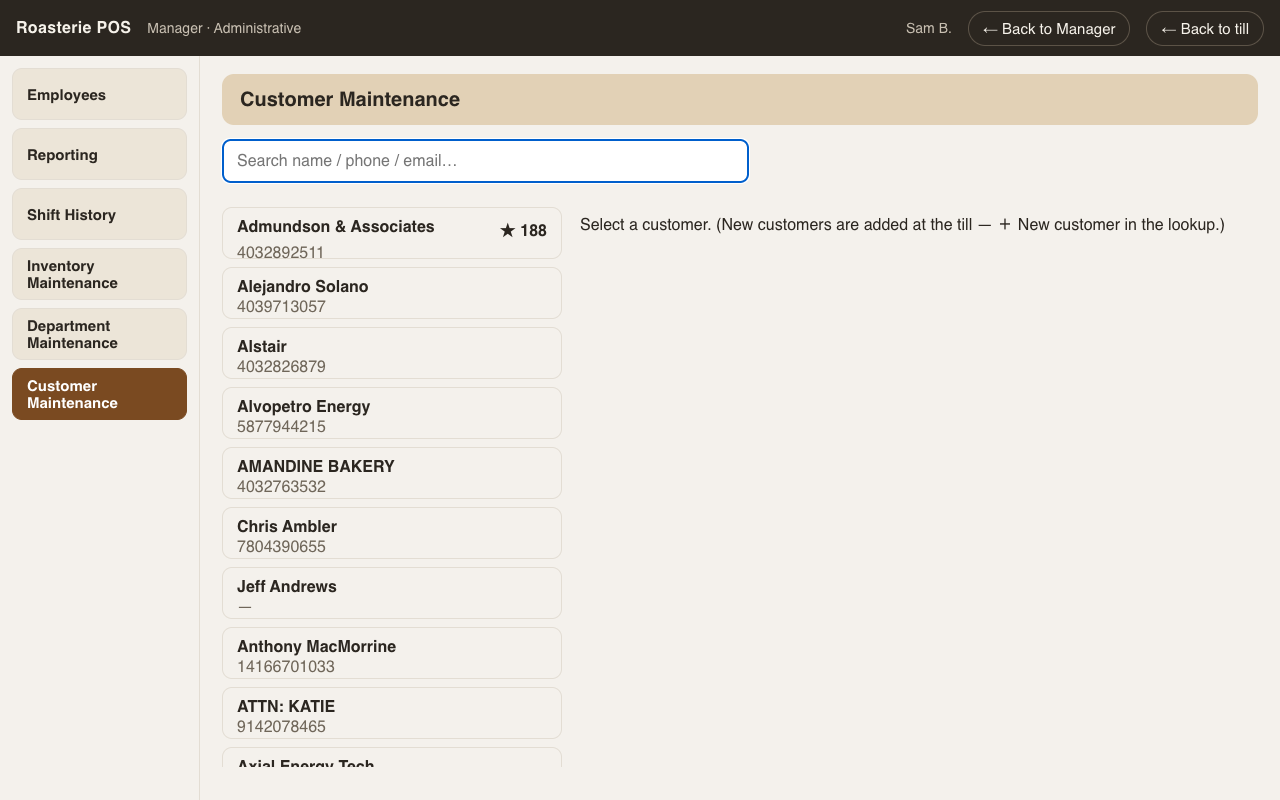
Setup → Customers. Search opens the editor; the list stays out of the way once you're working on someone. Customers are deactivated, never deleted — their sales, ledger, and loyalty history stay on the books forever.
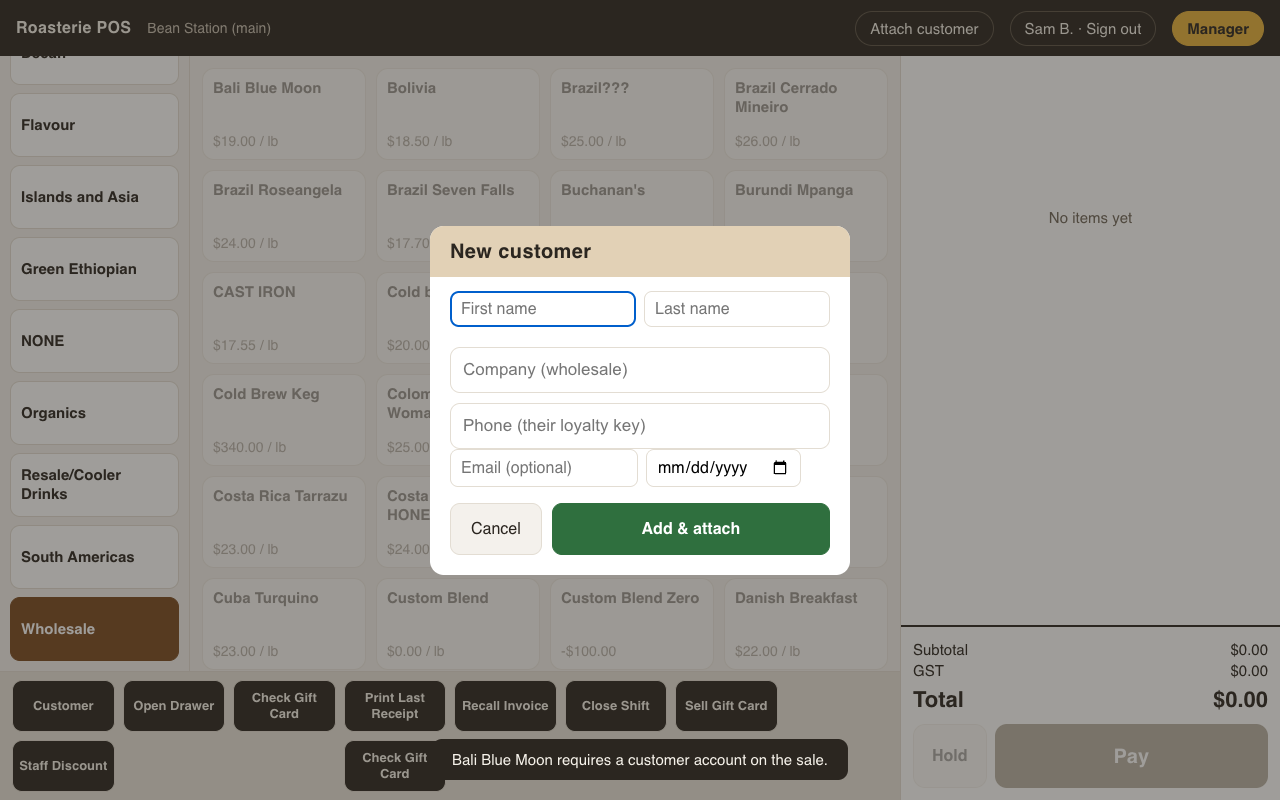
New customers can also be added at the till mid-sale (Customer → + New customer): name, company for wholesale, phone (their loyalty key), email — enough to attach them and keep ringing. Everything else is filled in here later.
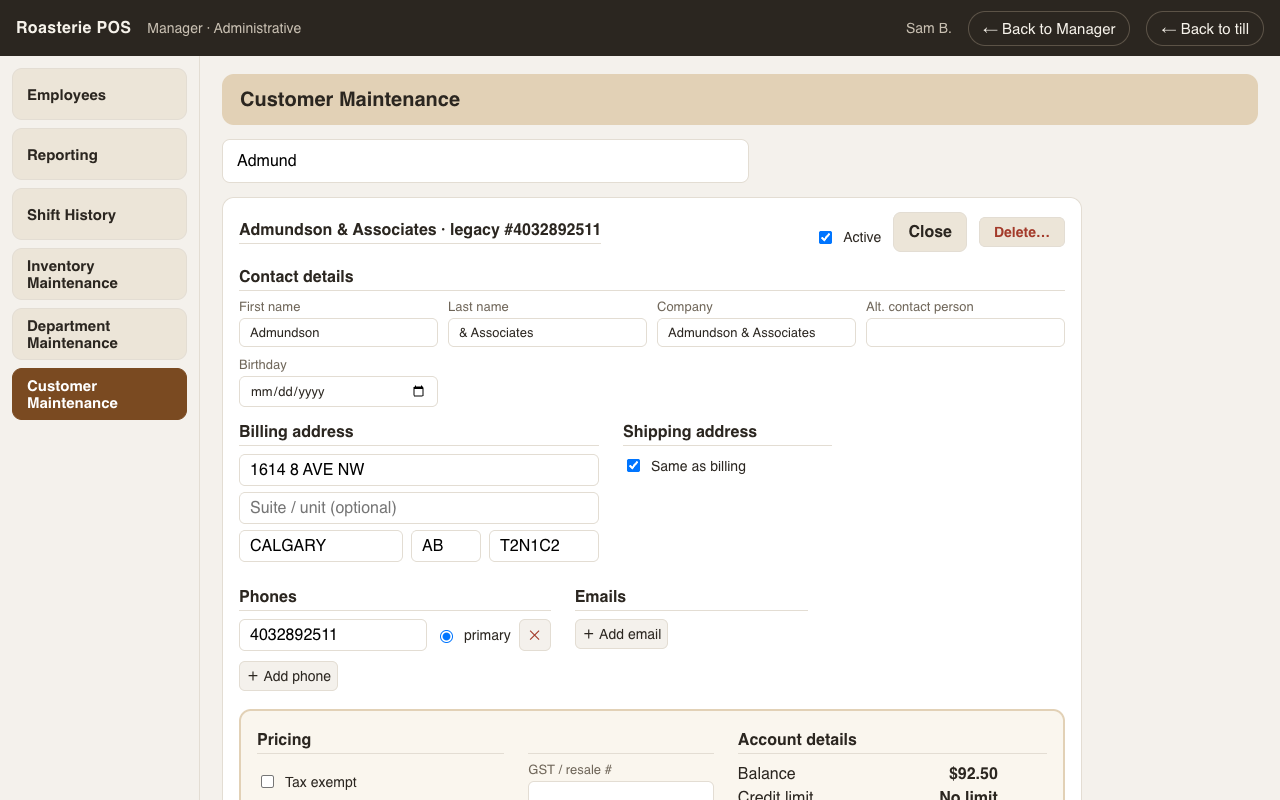
The editor, top to bottom
- Contact details — names, company, contact person.
- Billing | Shipping — envelope-style address columns; tick same as billing and shipping collapses.
- Phones | Emails — as many of each as needed, one primary phone.
- Pricing (visually separate block — these change what the till charges):
- Standing discount % — auto-applies to every sale line when this customer is attached, printed on the receipt ("Customer 20%").
- Tax exempt + GST number — their sales skip GST, marked "(exempt)".
- Charge-at-cost / require-PO flags.
- Account details — read-only facts pulled from the ledger (balance, credit limit, terms). They deliberately don't look editable: balance is ledger math, and credit limit/terms are edited on the Account screen where they belong.
- Notes — internal notes (staff only) and a separate box that prints on invoices.
Nothing saves until the big green ✓ Save Customer — which only appears once you've changed something. Navigating away with unsaved changes warns first, everywhere (including the browser's back button).
Delete… = deactivate, permission-gated with the swipe fallback.