How vendor payouts work
A payout is cash out of the drawer, on the record — the milk run, the window washer, the carpet guy. It replaces the old habit of taking cash and leaving a sticky note.
Manager → Tools → Vendor Payouts (permission-gated, swipe fallback):
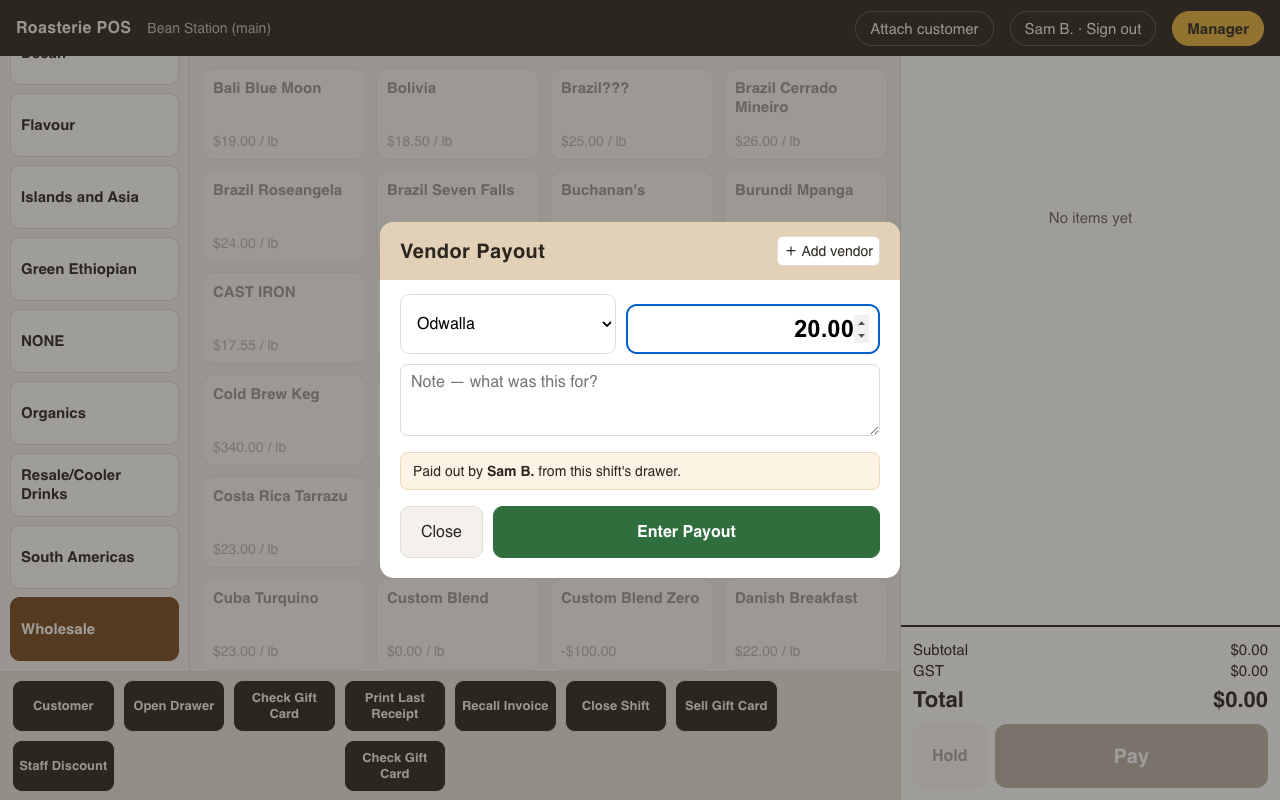
- Pick the vendor from the list — or Misc, which requires a reason so anonymous cash never leaves the drawer. New vendors are added right there.
- Enter the amount and an optional note, then Enter Payout.
A payout needs an open shift, because its whole point is drawer math: the amount is subtracted from that shift's expected cash, so the close-shift count comes out right and nobody is "short" for doing the milk run. Payouts show on the close-shift summary and on the End of Day report, each with the name of who paid out (and who authorized, if a swipe was needed).