How permissions work
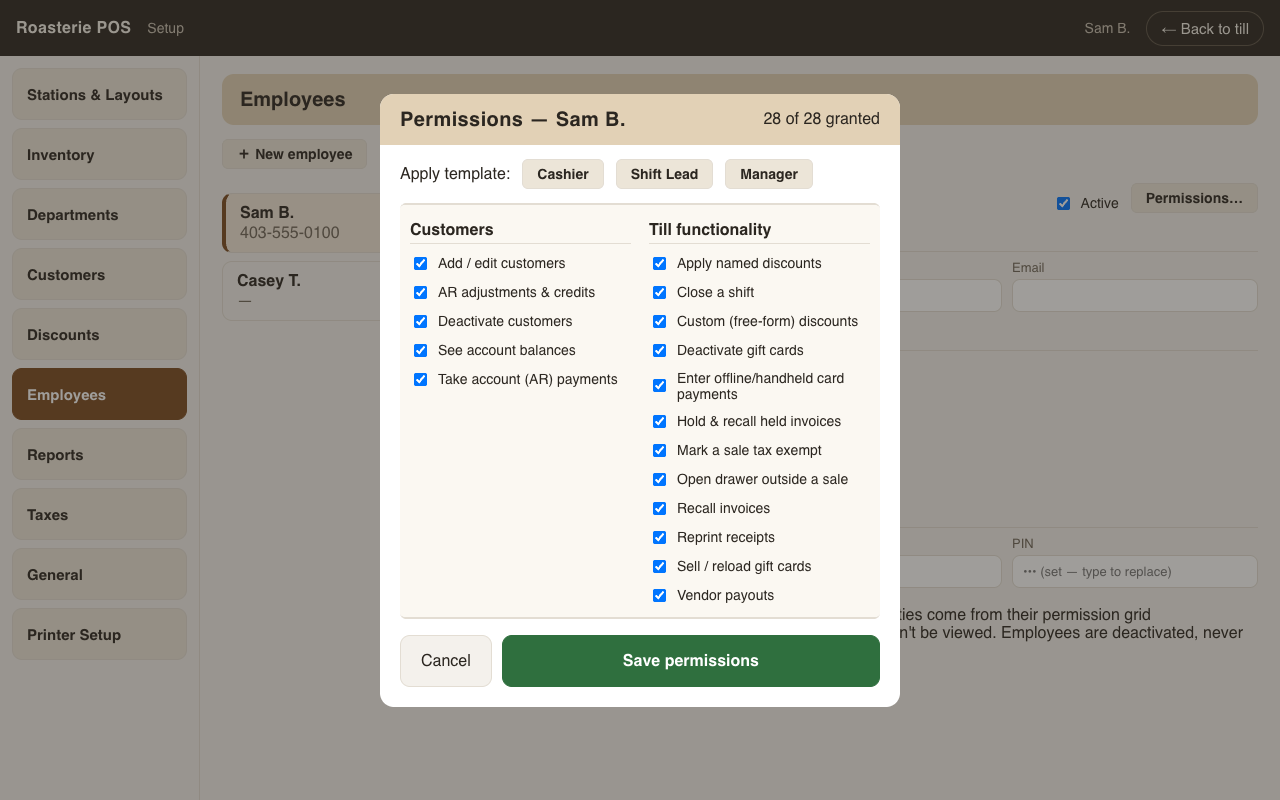
Permissions are per person, not per role. Each employee has their own grid of capabilities (Setup → Employees → Permissions…). Roles exist only as templates — apply Cashier / Shift Lead / Manager to pre-fill the grid, then tweak the individual. A new employee is stamped with their role's template automatically at creation.
The gate
When someone tries something they don't have — voiding a sale, a custom discount, a vendor payout, closing a shift, deleting an item, deactivating a customer — the till doesn't refuse. It asks for authorization: anyone who does hold that permission swipes their badge or enters their PIN, and the action proceeds once.
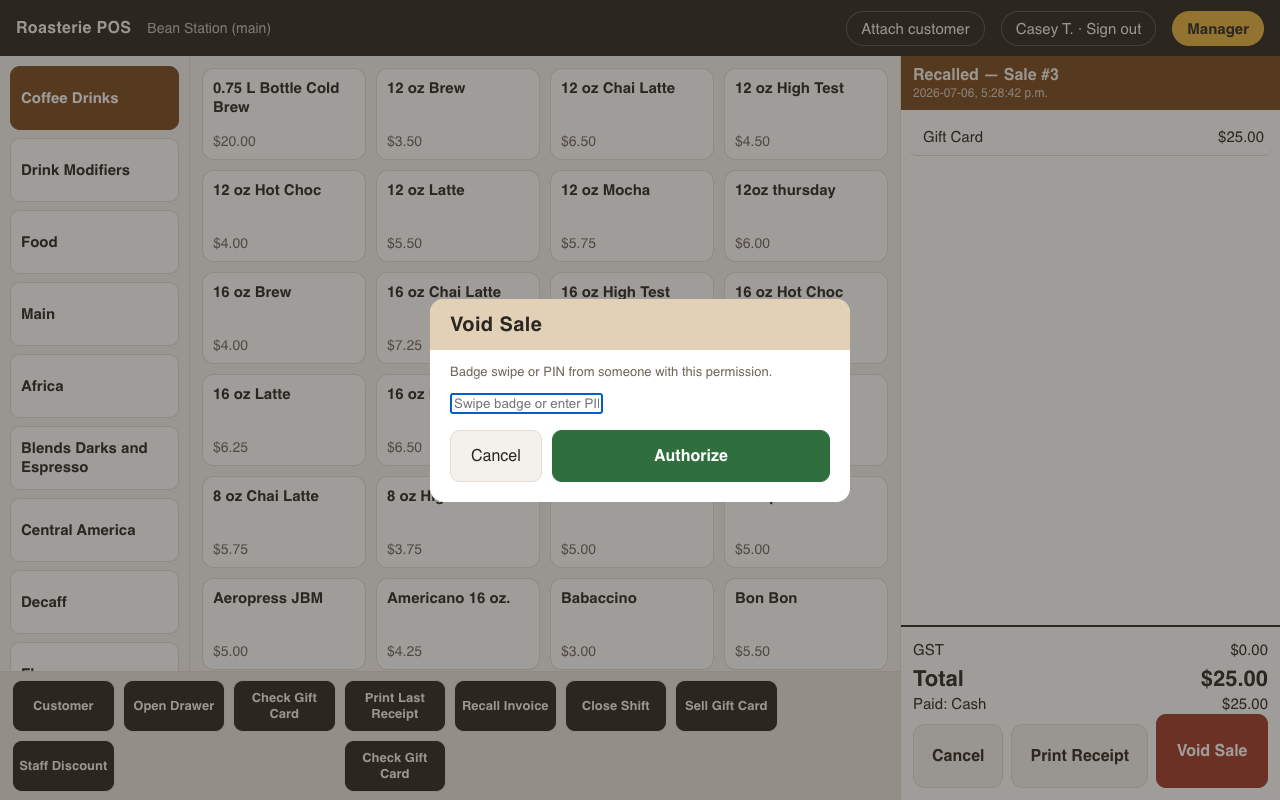
Attribution never changes: the cashier stays the actor, and the authorizer is recorded alongside — a void's audit entry reads "…— authorized by Sam B.", a custom discount's note carries the same.
Where it's enforced
The server checks every gated action — the till's dialogs are just the polite front door. Sending a request by hand without the permission gets a 403, with or without a UI.
Currently server-enforced: void sale · vendor payout · AR payments · AR adjustments · delete/deactivate item · stock adjustments · deactivate customer · editing permission grids themselves. The remaining capabilities in the grid (gift cards, reprints, tax-exempt sales, …) are recorded and ready — gates roll out over them one by one.
The full grid
Everything an employee can be granted, as it appears in the grid:
- Till functionality — void sales · apply named discounts · custom (free-form) discounts · open drawer outside a sale · recall invoices · close a shift · sell / reload gift cards · deactivate gift cards · vendor payouts · hold & recall held invoices · mark a sale tax exempt · enter offline/handheld card payments · reprint receipts.
- Inventory — add / edit inventory · delete (deactivate) inventory · add / edit departments · add / edit vendors · see item costs.
- Customers — add / edit customers · deactivate customers · see account balances · take account (AR) payments · AR adjustments & credits.
- Reports — view reports · run End of Day.
- Setup — enter Setup · add / edit employees & permissions · loyalty program settings (reserved — no loyalty settings screen yet).
The Setup door
Entering Setup requires the Enter Setup capability. If the person signed in at the till has it, Setup opens as them; otherwise it asks for a swipe at the door. The Setup header always shows whose name the work is recorded under — ledger payments, adjustments, stock moves, and permission edits all attribute to that person.