How paying works
Press Pay and pick how the customer is paying. Any mix works — the screen keeps showing what's remaining until the sale is covered (that's a split tender: each payment is its own row on the sale).
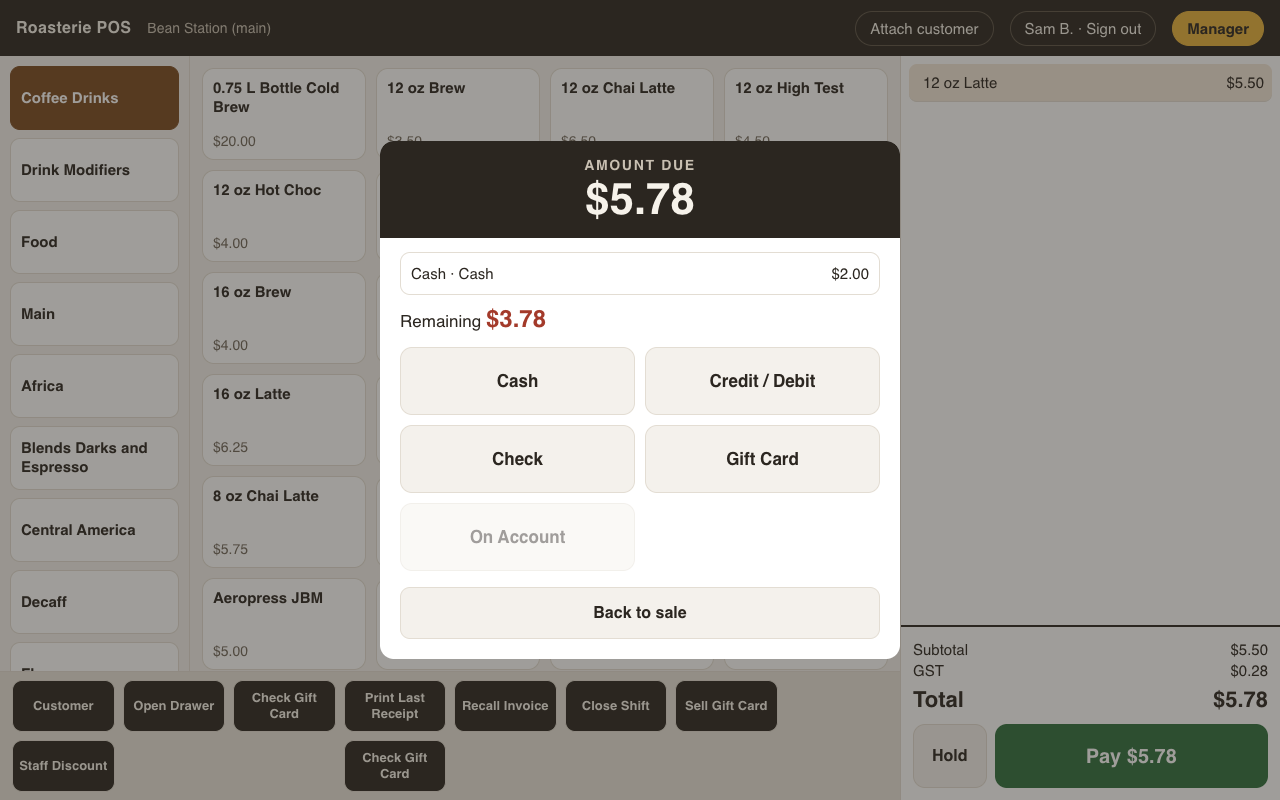
- Cash — type what they handed you (quick buttons for $5/$10/$20/$50 or Exact). If it's more than what's owed, the screen tells you the change due. The drawer records only what it keeps.
- Credit / Debit — Send to Terminal hands the amount to the card terminal (the mock
terminal in development, Stripe Terminal for real — which one is a Setup → General →
Payments choice, see
payment-gateway.md). Tips are never entered at the till: the terminal prompts the customer directly (or cash goes in the tip jar) — a cashier cannot ring in their own tips. The tip comes back from the terminal with the payment and feeds shift close-out. - Check — amount + check number (the number is what AR statements reconcile against).
- Gift card — swipe or type the card. Its available balance applies to the sale and
whatever's left stays on the card; if the balance doesn't cover it, the rest is just
another tender (see
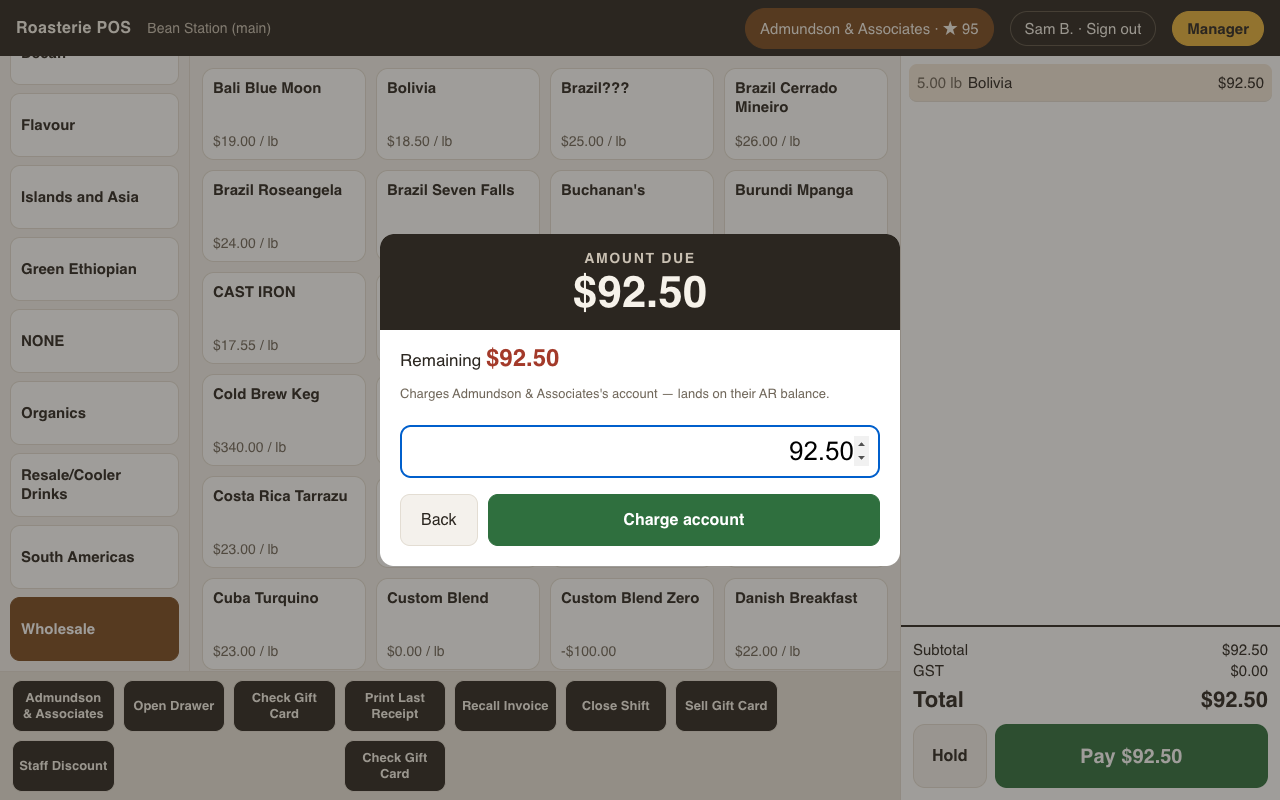
gift-cards.md). - On account — only possible with a customer attached to the sale; the amount lands as a charge on their AR balance (they pay later against a statement).
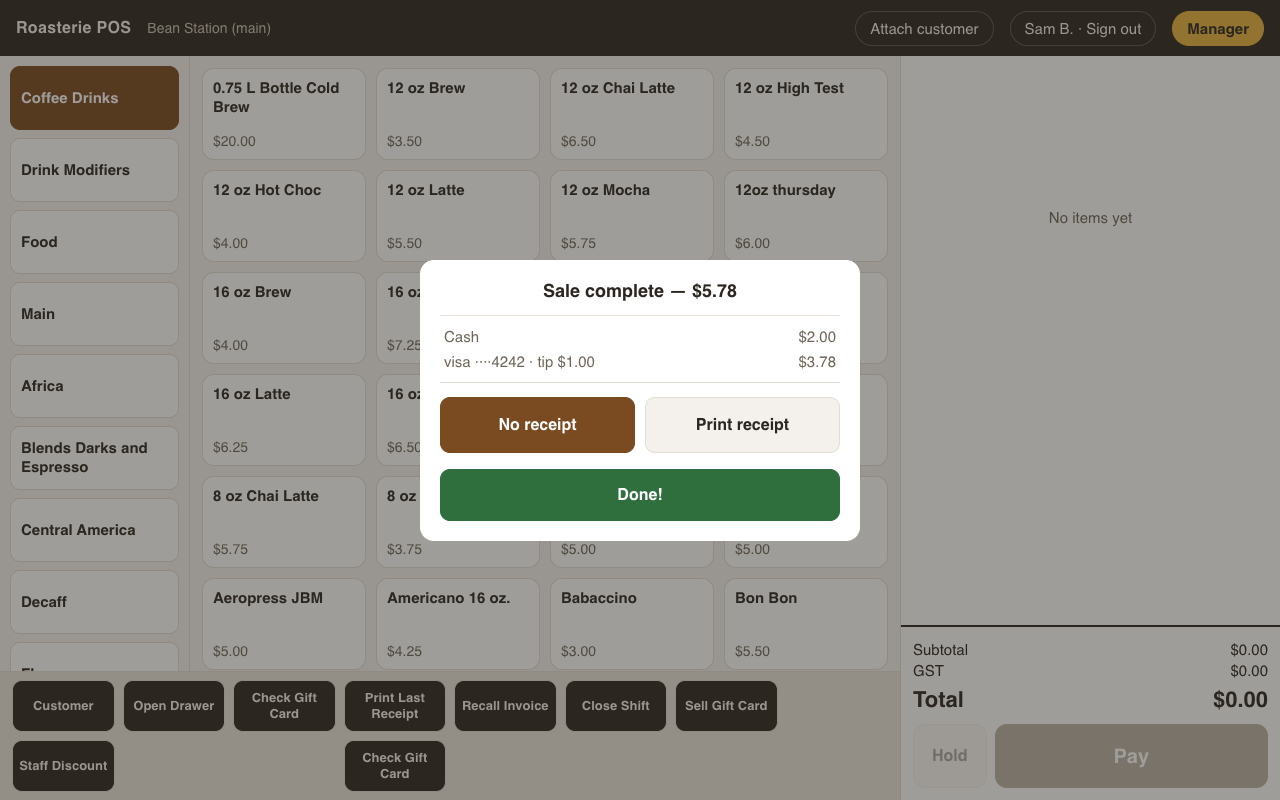
When the sale is covered you get the Sale complete screen — change due, the payment breakdown, and the receipt choice with the station's default already highlighted (an "always print" station preselects Print receipt; an "ask" station preselects No receipt). Done! applies the highlighted choice — one tap unless a change is needed.
Mistakes discovered after completion are handled by voiding the sale, which reverses each payment back to where it came from: card refunds to the original charge, cash from the drawer, gift-card balance restored, account charge reversed. There are no returns.