How customer accounts (A/R) work
A wholesale customer's balance is always the running sum of their ledger — never a number anyone types. Selling On Account posts the charge automatically; voiding an on-account sale reverses it.
Open-item accounting
The system tracks which invoices are paid, not just the total. A payment auto-applies to the oldest open invoices first, and tells you exactly what it covered ("Applied to #11 ($30.00), #14 ($12.50)"). What's left unapplied shows as the customer's credit. This is what makes the AR aging report and per-invoice statements possible.
The client-account workspace
Customer Maintenance → open a customer → Account opens their full-screen A/R workspace:
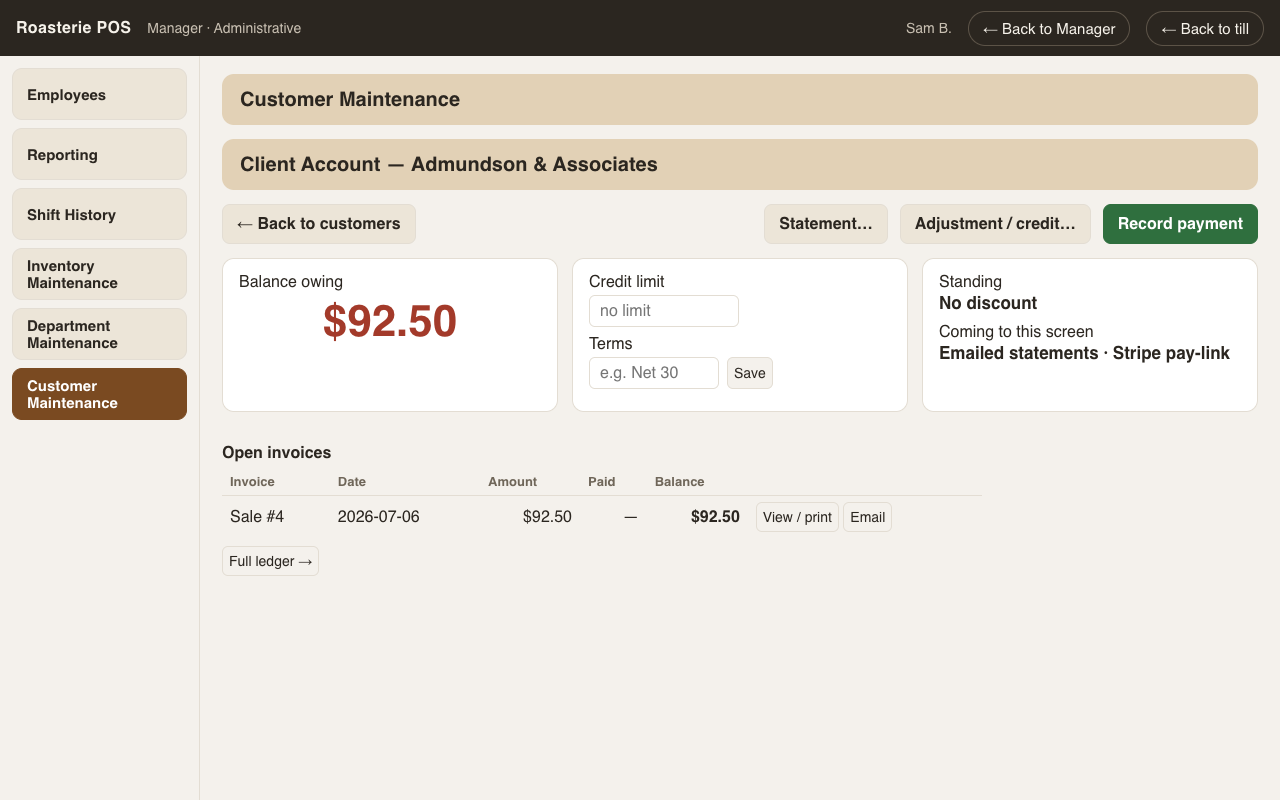
- Balance card and the customer's standing (their discount %, tax status).
- Credit limit and terms are edited here — on the account screen, next to the numbers they govern — not on the general customer editor.
- Open invoices first: every unpaid/partially-paid charge with amount, paid,
balance. View prints a full-page invoice (store identity, GST registration,
paid-to-date, balance due). Email is stubbed until the mail hookup lands (the SMTP
settings tab already exists — see
setup.md). - Receive payment: amount + method (check # required for checks) — FIFO application happens automatically and reports what it paid.
- Adjustment / credit: signed amount, reason required, permission-gated.
- The complete ledger sits below, collapsed.
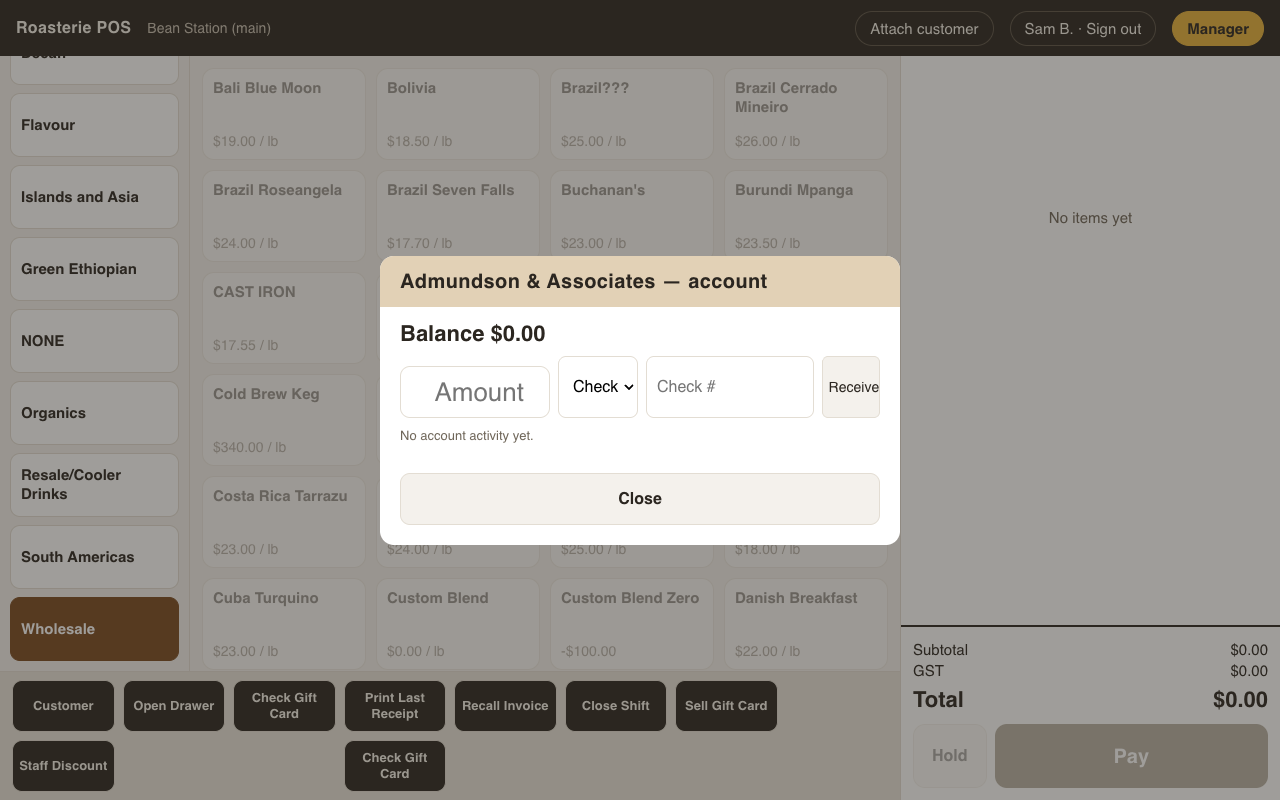
Quick payments can also be taken at the till (Customer lookup → Account): cash taken there counts into that shift's expected drawer cash.
Statements
Statement… on the account screen prints either flavor:
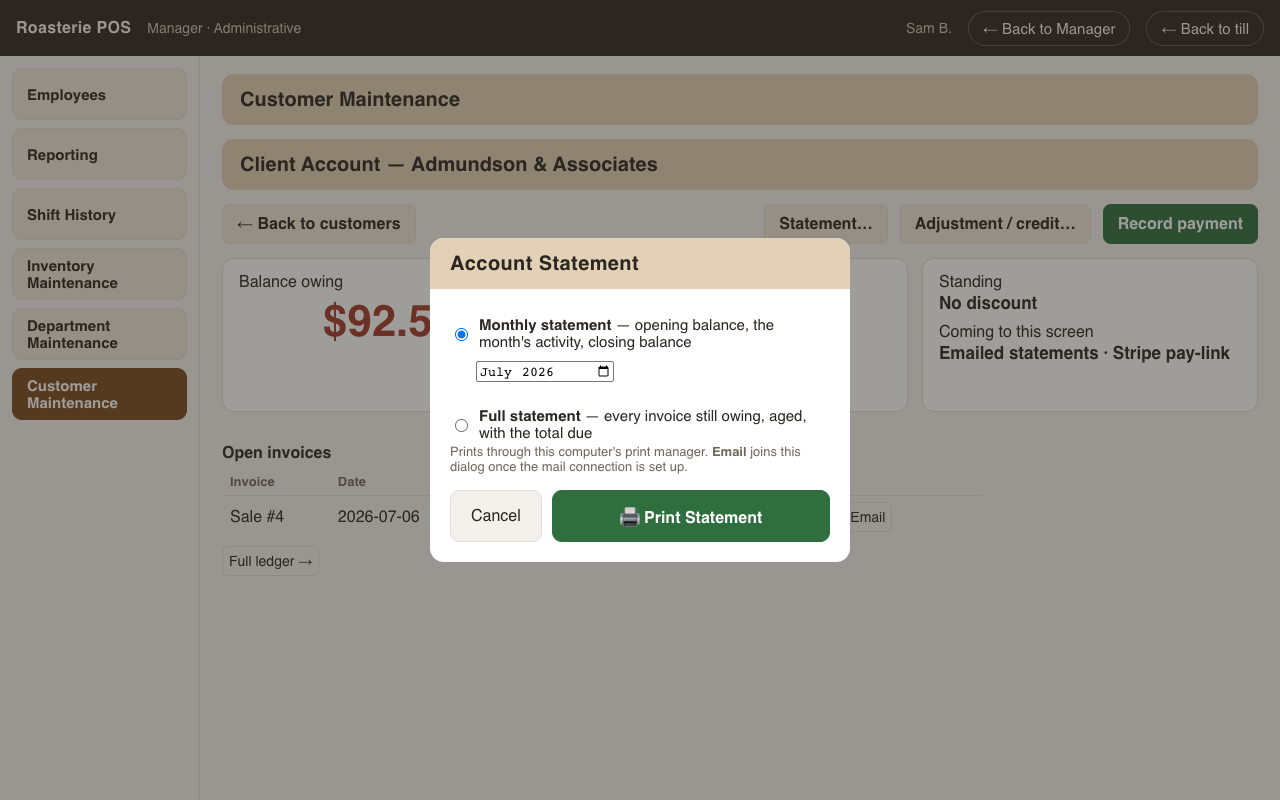
- Monthly activity — opening balance, the month's charges, payments and credits, closing balance. This month by default; any month pickable.
- Full open-item — every invoice still owing, with an aging strip (current / 31–60 / 61–90 / 90+) and the total due. This is the one to mail with a nudge.
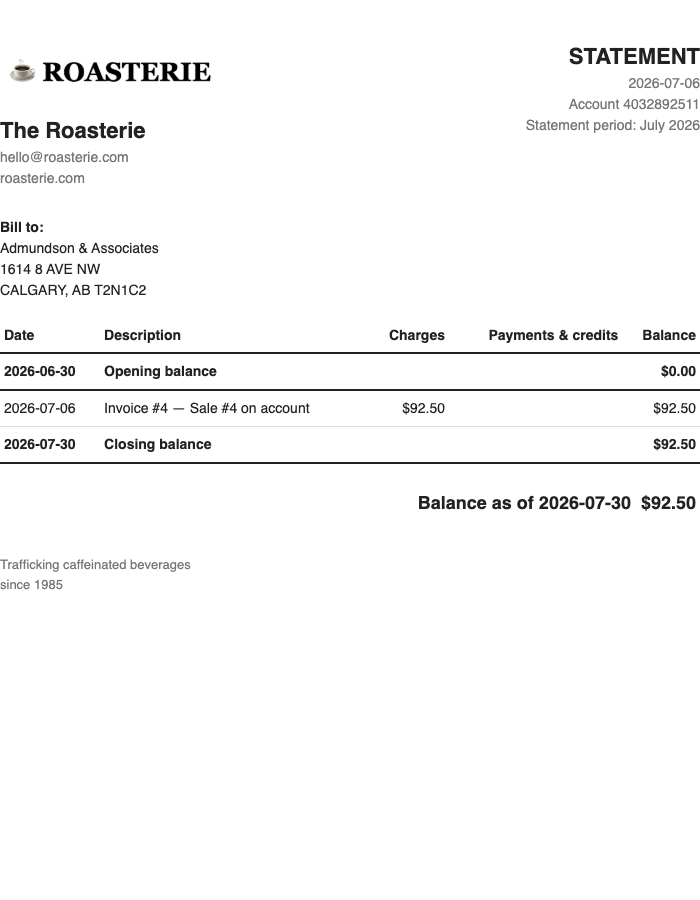
Both carry the store identity block and logo, same as receipts and invoices.
Coming next: emailing statements and invoices (printing works today; sending waits on the mail hookup), and a "pay your balance" online link.